Forge Your Crypto Future

Guided by Smith AI

Your AI financial planner. It designs your strategy, builds your crash protection, and guides your rebalancing — while you keep full control.

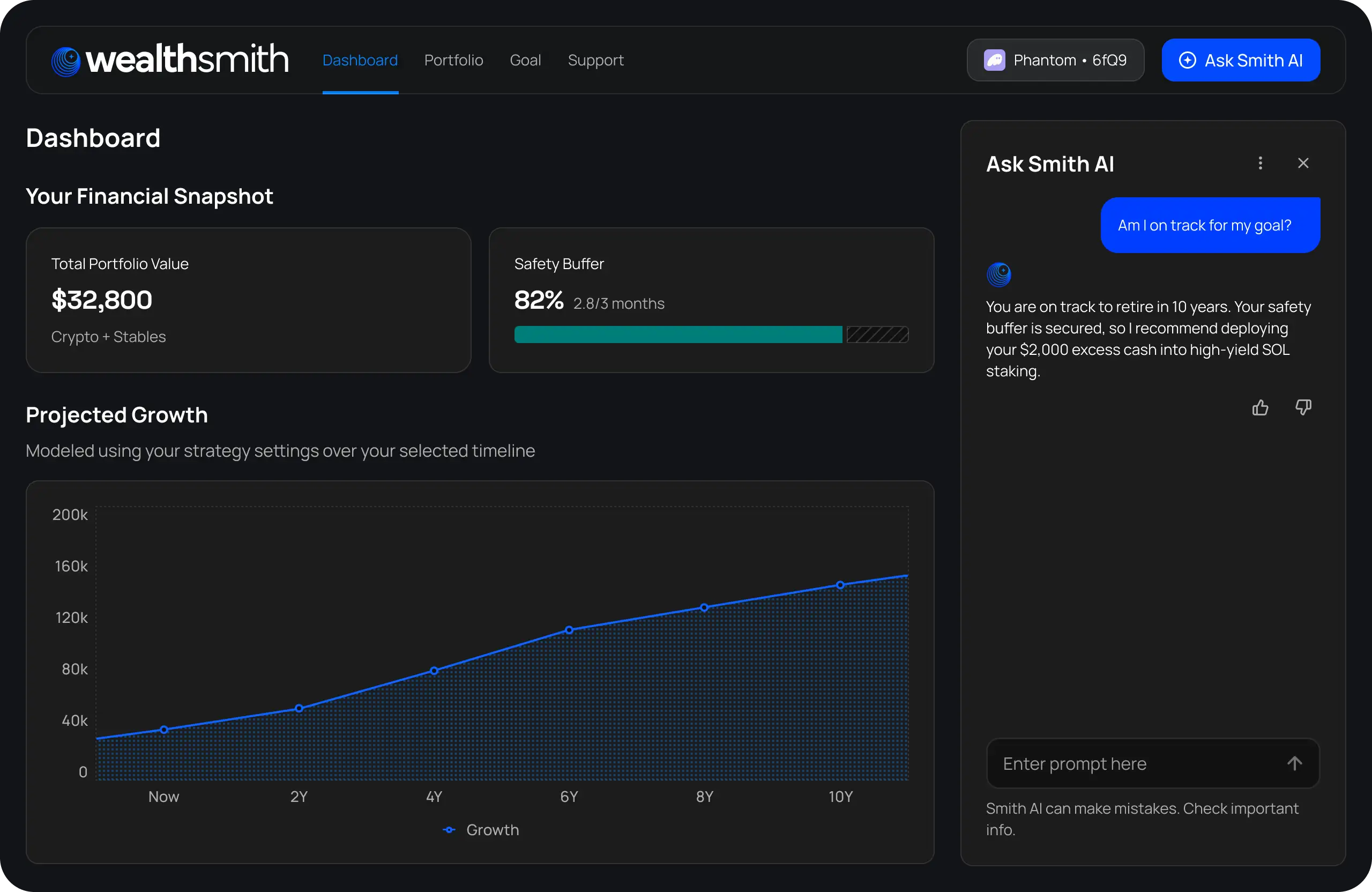
Join WaitlistA high-fidelity screenshot of the WealthSmith desktop dashboard on a dark background. The top navigation bar includes links to 'Dashboard,' 'Portfolio,' 'Goal,' and 'Support,' alongside a wallet status indicator and an 'Ask Smith AI' button. The main view displays a 'Financial Snapshot' with a total portfolio value of $32,800 and an 82% funded 'Safety Buffer.' Below this is a large 'Projected Growth' line chart showing an upward trajectory over 10 years. On the right, an interactive 'Ask Smith AI' sidebar shows a conversational exchange where the AI confirms the user is on track for retirement and suggests deploying excess cash into high-yield SOL staking.
How WealthSmith Works

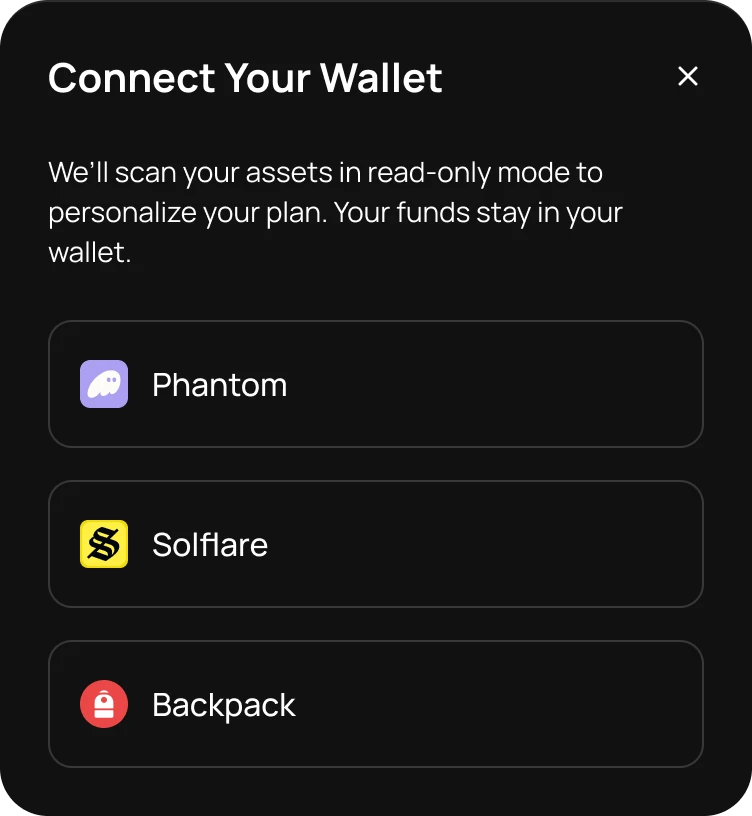
A dark-themed 'Connect Your Wallet' modal. The header text explains that assets are scanned in read-only mode and that funds stay in the user's wallet. Below this message are three large connection buttons for the Solana-based wallets Phantom, Solflare, and Backpack, each accompanied by its respective icon.

1. Import Portfolio

Connect your wallet securely with "Read-Only" access, or enter your holdings manually.
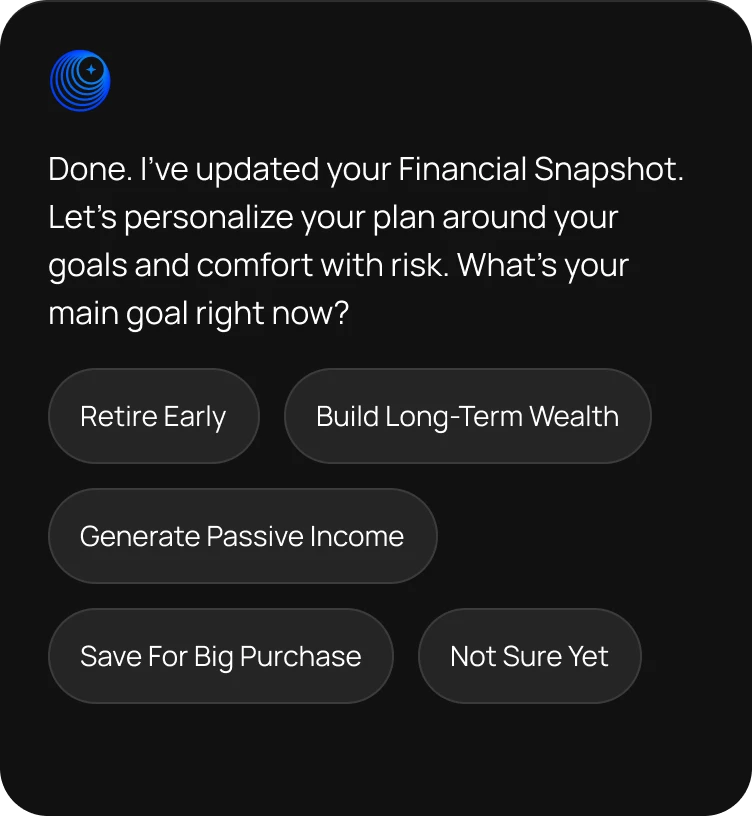
A dark-themed mobile UI screen for the WealthSmith app showing the goal-setting phase of onboarding. At the top left is the WealthSmith blue circle icon. The text reads: 'Done. I’ve updated your Financial Snapshot. Let’s personalize your plan around your goals and comfort with risk. What’s your main goal right now?' Below the text are five pill-shaped interactive buttons: 'Retire Early,' 'Build Long-Term Wealth,' 'Generate Passive Income,' 'Save For Big Purchase,' and 'Not Sure Yet.

2. Define Goals

Set a goal (e.g., Retire Early). Smith AI builds a plan for your life, not just the charts.
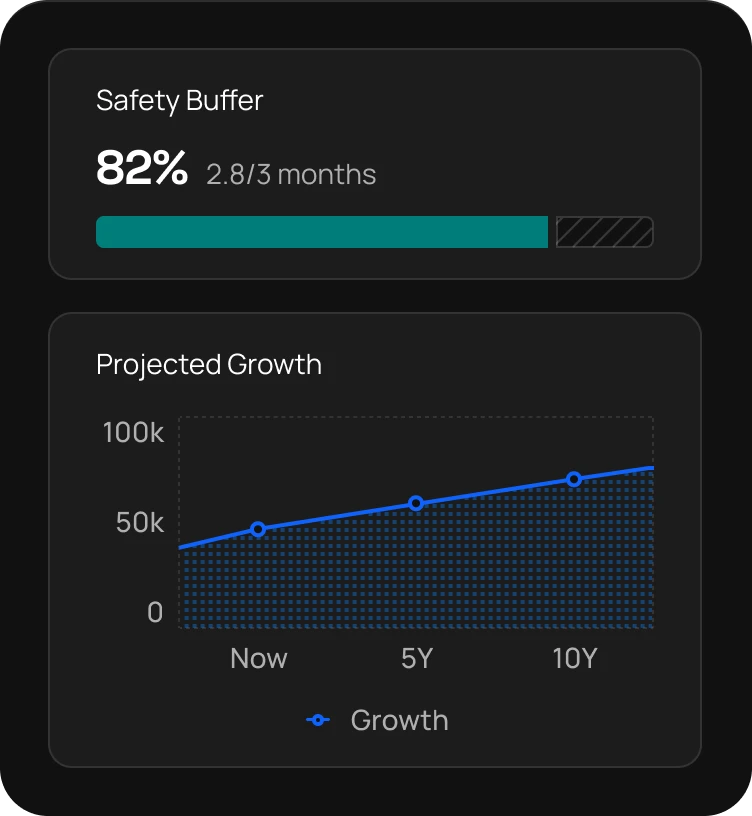
A dark-themed UI dashboard featuring two informational cards. The top card, titled 'Safety Buffer,' displays a value of 82% with a sub-label of '2.8/3 months' and a teal horizontal progress bar. The bottom card, titled 'Projected Growth,' features a blue line chart illustrating an upward financial trajectory over a 10-year period, starting at approximately $40,000 and trending toward $100,000.

3. Launch Personal Plan

Smith AI generates your Crash Safety Buffer and investment allocation. It monitors the market and explains every move it suggests.
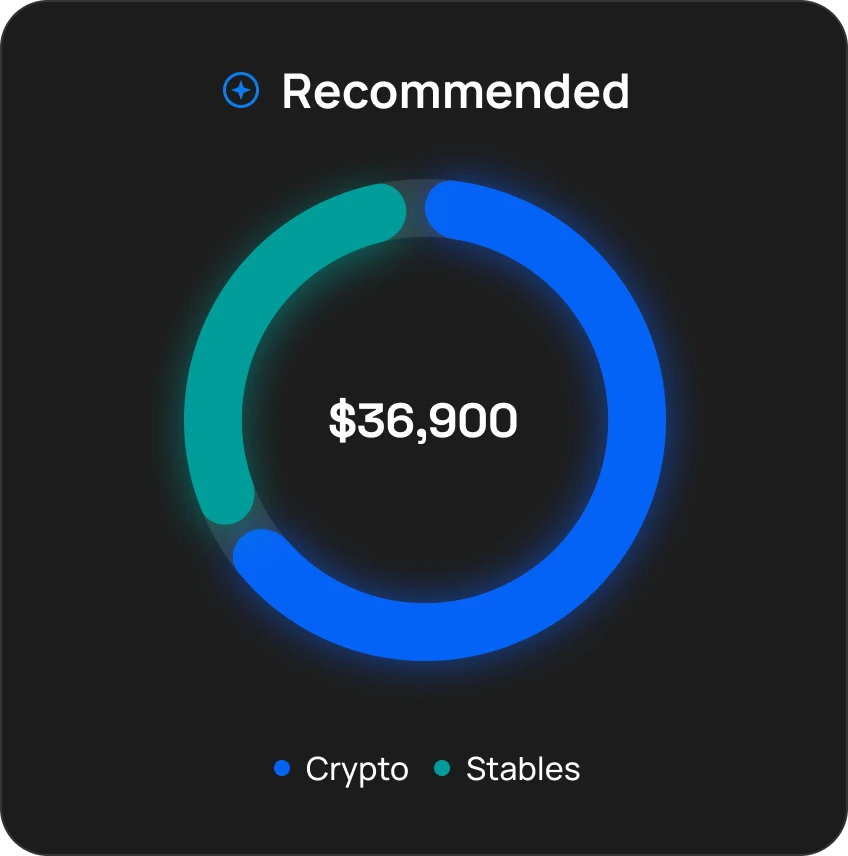
A UI card titled 'Recommended' from the WealthSmith app, featuring a donut chart with a total portfolio value of $36,900 in the center. The chart displays a target allocation split between Crypto, shown as a large blue segment, and Stables, shown as a smaller teal segment.

Guided Rebalancing

Smith AI monitors your portfolio 24/7. If your risk level rises, it suggests specific moves to restore balance. You always have the final say — AI never moves funds without you.

Built For Security. Designed For You

A horizontal, three-dimensional light blue key icon with a rounded head and simple teeth, tilted slightly toward the viewer. This icon represents WealthSmith’s core principle of non-custodial security and user self-custody.

Non-Custodial Control

You hold your keys — Smith AI only reads portfolio data.

Two 3D-styled, light blue four-pointed stars of varying sizes. This imagery represents the precision of WealthSmith’s AI-guided financial insights.

Explainable AI

Every action includes a plain-language "why." No black boxes.

A three-dimensional, stylized light blue shield with layered edges, tilted towards the viewer

Safety Buffers

Smith AI prioritizes 1–6 months of expense reserves before investing.

Integrated With Industry Leaders

Built on Solana. Leveraging top protocols for secure custody and deep liquidity.

The logo for the Solana blockchain, featuring three identical horizontal parallelograms stacked vertically to form a stylized 'S'. The icon features a vibrant gradient transitioning from spring green at the top to electric blue and deep purple at the bottom. The logo for Phantom, a WealthSmith infrastructure partner, featuring a white, minimalist ghost icon with two simple dots for eyes, centered within a light purple rounded-square container. The logo for Backpack, a WealthSmith infrastructure partner, featuring a white, stylized rounded icon resembling a backpack or pill-shaped figure, centered within a red circular container The logo for Kamino, a WealthSmith infrastructure partner, featuring a dark circular badge with a white stylized letter 'K' composed of three sharp, modernist strokes. A thin white circular outline partially surrounds the letter. The logo for Meteora, a WealthSmith infrastructure partner, featuring a stylized circular emblem composed of five diagonal orange-to-purple gradient stripes that taper into sharp, comet-like tails on the left side. The logo for Hubble, a WealthSmith infrastructure partner, featuring a stylized capital 'H' composed of two vertical, pill-shaped icons with a grid pattern, connected by four small squares. The entire icon features a teal-to-purple gradient. The logo for Jupiter, a WealthSmith infrastructure partner, featuring a stylized circular globe or planet composed of multiple overlapping curved lines in a vibrant blue-to-green gradient. The logo for Orca, a WealthSmith infrastructure partner, featuring a stylized black and white orca whale jumping inside a solid yellow circular background. The logo for Raydium, a WealthSmith infrastructure partner, featuring a teal-to-purple gradient hexagon containing a stylized blue letter 'R'. A small purple hexagonal node is attached to the top-right vertex of the main hexagon. The logo for Jito, a WealthSmith infrastructure partner, featuring the word 'Jito' in a bold, dark green sans-serif typeface. The logo for Marinade, a WealthSmith infrastructure partner, featuring a white outline of a chef's hat inside a teal circular container. The logo for Sanctum, a WealthSmith infrastructure partner, featuring a white, smiling cloud icon with blue eyes and a wide mouth, centered within a light blue rounded square.

Your Questions, Answered

Clear answers on security, custody, and how Smith AI works.

What is WealthSmith?
Show more

WealthSmith is your non-custodial, AI-guided financial planner for crypto. It helps you build a personalized, goal-based investment plan, stay safe with a protected stablecoin buffer, and understand exactly why each recommendation fits your goals — all while you keep full control of your wallet and funds.

Instead of charts and noise, WealthSmith gives you clear guidance: how much to keep in stables, when you’re overexposed, where idle assets could earn yield, and how your portfolio tracks toward your long-term goals. It’s crypto planning made simple, transparent, and built for real people — beginners and experienced holders alike.

Do I give WealthSmith access to my funds?
Show more

No. WealthSmith never has access to your funds.

We’re fully non-custodial — you keep control of your wallet, keys, and every transaction.

If you choose to connect a wallet, we only read your balances to personalize your plan. We cannot move, trade, or withdraw anything on your behalf. All actions are reviewed and executed manually by you.

WealthSmith simply analyzes your portfolio and gives safe, transparent guidance — your funds always stay in your wallet.

How does Smith AI work?
Show more

Smith AI is your built-in financial guide inside WealthSmith. It takes your goals, risk level, timeline, cash flow, and assets data, and turns them into simple, personalized insights — all in plain language.

It explains why each recommendation is made, helps you understand your allocation, and highlights when you’re overexposed or underprepared (like missing your Safety Buffer). Smith AI never touches your funds — it only analyzes your data and guides you step-by-step so you can make confident decisions.

It’s like having a calm, knowledgeable advisor by your side — helping you stay on track without the complexity or the noise.

Which protocols does WealthSmith use?
Show more

WealthSmith works only with vetted, non-custodial Solana protocols.

For swaps, staking, and yield insights, we pull data from trusted platforms that meet strict requirements for liquidity, audits, and withdrawal safety.

Currently supported protocols include:

1. Jupiter — best-route DEX aggregation for swaps
2. Raydium — high-liquidity pools and yield vaults
3. Orca — stable-to-stable and low-slippage swaps
4. Kamino — audited yield vaults and optimized staking routes
5. Meteora — liquid, low-risk vaults with fast withdrawals
6. Marinade & Jito — native SOL staking options
7. Hubble & Sanctum — vetted stablecoin and staking vaults (where applicable)

All recommendations follow strict guardrails: no custodial platforms, no lock-ups over 24h, minimum TVL, public audits, and manual execution by you.

You always keep full control — WealthSmith only guides you toward the safest, most cost-efficient options in the Solana ecosystem.

What’s next after the waitlist?
Show more

After you join the waitlist, you’ll be among the first to get early access to WealthSmith. We’ll invite users in waves, starting with small groups so we can refine the experience, gather feedback, and make sure everything feels smooth and trustworthy.

When your turn comes, you’ll receive an email with a secure link to:

1. Onboard
2. Try Smith AI
3. Build your personalized crypto plan

As we roll out new features, waitlist members get priority access.

It’s our way of ensuring you get the best, safest version of WealthSmith from day one.

Success
You’re on the waitlist. We’ll email you when access opens.
Close toast